
Android App Permissions Explained: What Should You Allow?
Introduction
Installing an Android application is easy, but deciding which permissions to allow requires attention. When downloading a casino gaming app, users may see requests for camera, location, contacts, photos, or notifications. Some permissions support useful features, while others may be unnecessary.
Many users press Allow without checking what an application wants to access. This can expose personal information and create privacy risks, especially when installing APK files from third-party websites.
Understanding Android permissions helps us make informed decisions before using any gaming platform. This guide explains common permissions, which ones casino apps may need, and how to protect your smartphone.
What Are Android App Permissions?
Android app permissions control which smartphone features and information an application can access. They help protect personal data and prevent applications from using sensitive device functions without authorisation.
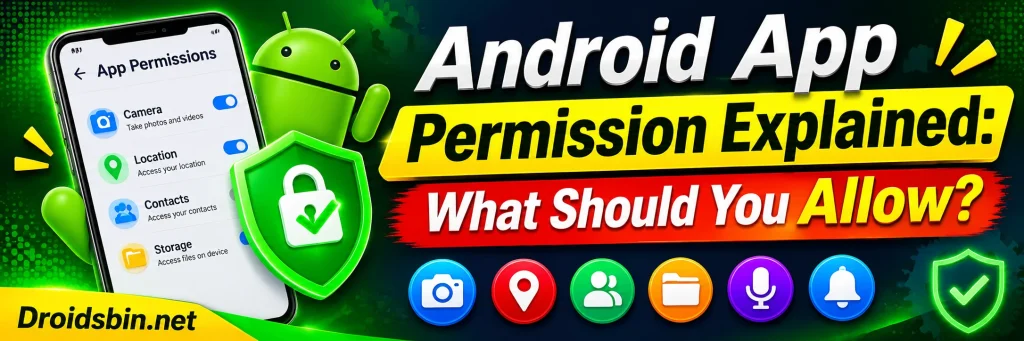
For example, a camera application needs camera access, while a messaging application may require microphone access for voice messages. Similarly, a casino application may request certain permissions for account verification or notifications.
However, every request should have a clear purpose. A gaming application does not automatically need access to your entire smartphone.
Why Do Casino Apps Request Permissions?
Casino applications may include account registration, profile settings, customer support, promotional notifications, and document-upload features.
These functions can explain some permission requests. For instance, camera access might be needed to photograph a verification document, while notifications can provide account alerts.
Nevertheless, users should not approve every request automatically. Always consider whether the requested access matches the feature you intend to use.
Common Android App Permissions Explained
1. Notifications Permission
Notifications allow applications to display messages on your screen. Casino apps may use them for account updates, security alerts, and promotional information.
Should you allow it?
Allow notifications when you want important updates. You can disable promotional alerts through Android settings whenever necessary.
2. Camera Permission
Camera access allows an application to capture photographs or scan QR codes. Some gaming services may use it for identity verification.
Should you allow it?
Grant access only when using a feature that genuinely requires your camera. Avoid permanent access without a clear reason.
3. Photos and Videos Permission
This permission allows applications to access selected media or photographs stored on your device. It may support profile pictures or document uploads.
Should you allow it?
Use Android’s selected-photo option when available. There is usually no reason to provide unrestricted gallery access for basic gaming activities.
4. Microphone Permission
Microphone access allows applications to record audio. It may support voice communication or specific interactive features.
Should you allow it?
Most basic casino games do not require microphone access. Keep it disabled unless a clearly explained feature needs it.
5. Location Permission
Location access helps applications identify your geographical position. Some services may use it for regional availability or legal compliance.
Should you allow it?
Check why location is required. Prefer approximate location or access only while using the application when those options are available.
6. Contacts Permission
Contacts permission allows applications to access names and phone numbers saved in your address book.
Should you allow it?
Ordinary gaming functions do not generally require contact access. Deny this permission unless you understand and need a specific feature.
7. SMS and Phone Permissions
These permissions may provide access to text messages or certain telephone-related information. SMS messages can contain private verification codes.
Should you allow them?
Avoid granting unnecessary access. Never share banking PINs, passwords, or one-time verification codes with unofficial representatives.
Which Permissions Should You Avoid Without a Clear Reason?
Some Android permissions provide considerably more control than ordinary notifications or media access.
Accessibility Access: This can allow applications to interact with screen content and perform certain actions. Unknown gaming apps should not receive it without a legitimate purpose.
Display Over Other Apps: This allows an application to display content over other screens and may be misused for misleading pop-ups.
Install Unknown Apps: This permits software installation from a particular source. Keep it disabled unless you have independently verified the installation process.
Device Administrator Access: This provides additional device-management controls and is generally unnecessary for ordinary entertainment applications.
When an application’s purpose is unclear, deny the request and investigate before continuing.
How to Check App Permissions on Android
Android provides built-in controls for managing application access. Follow these steps:
- Open your phone’s Settings.
- Select Apps or Applications.
- Choose the application you want to check.
- Open its Permissions section.
- Review each permission separately.
- Disable access that is unnecessary.
You can also use Android’s Privacy Dashboard, where supported, to review recent access to sensitive features.
Safety Checks Before Installing Casino APK Files
Some gaming platforms distribute APK files through their websites instead of the Google Play Store. Installing an APK is possible, but downloading from an unknown source can expose your device to security threats.
Before installing any casino APK:
- Verify the publisher: Check the developer and official website.
- Review permissions: Investigate requests unrelated to gaming.
- Check file information: Examine the version and digital signature.
- Use Play Protect: Keep Google’s security protection enabled.
- Avoid modified files: Unofficial packages may contain harmful code.
- Read privacy policies: Understand how your information is collected and used.
Remember that security scans reduce risks but cannot guarantee complete protection.
What If an App Requests Suspicious Permissions?
Stop before approving unexpected requests. Select Deny and investigate why the application needs that particular access.
Check the publisher’s information, privacy policy, and download source. If the application repeatedly demands unrelated permissions or displays suspicious behaviour, uninstall it.
When sensitive account information may have been exposed, change your password using a trusted device. Contact your bank through official channels if financial information is involved.
Frequently Asked Questions (FAQs)
Are Android permissions important for casino applications?
Yes. They control access to smartphone features and help protect personal information while using gaming applications.
Should I allow every permission during installation?
No. Approve only permissions that have clear purposes and are necessary for the application’s advertised features.
Can I change permissions after installing an application?
Yes. Open Android Settings, select the application, enter Permissions, and adjust access according to your preferences.
Is every APK download safe?
No. Verify the publisher, inspect requested permissions, scan installation files, and avoid unknown or modified packages.
Final Thoughts
Android app permissions are important for protecting smartphone privacy, particularly when using casino gaming applications or installing third-party APK files.
Always examine permission requests before pressing Allow. Notifications and selected photo access may be useful, but unrestricted access to contacts, messages, or other sensitive information deserves caution.
Check the application’s publisher, review its privacy policy, and keep Android security protections enabled.